Coming soon
Xackup Server
Backup, migration and replication for XenServer and XCP-ng, running as a service and managed from your browser.
Pricing is under review and will be announced at release.
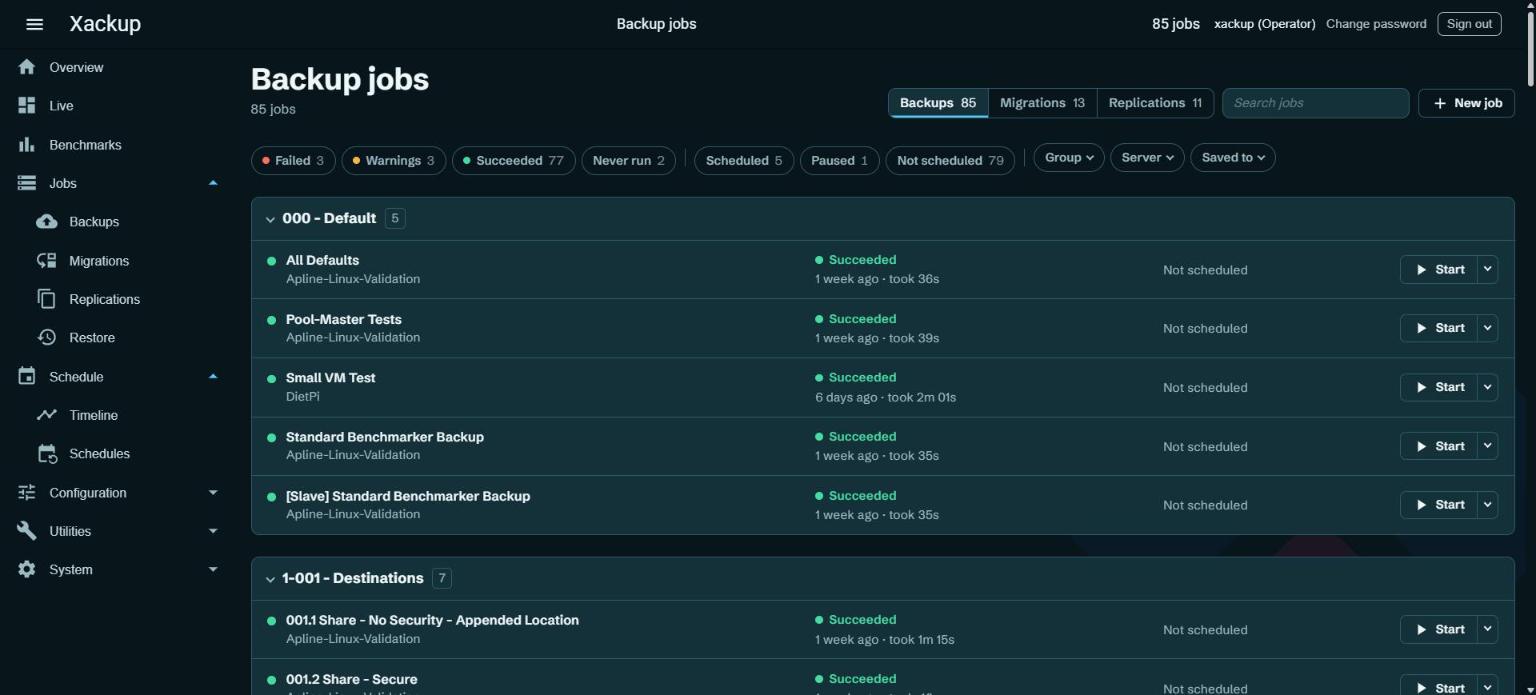
Manage your backups from any browser
Jobs, schedules, live progress, restore and benchmarks. Scheduled jobs run on the server, so nobody has to be signed in. Filter the job list by result, schedule, server or destination, and start or stop a job from its row.
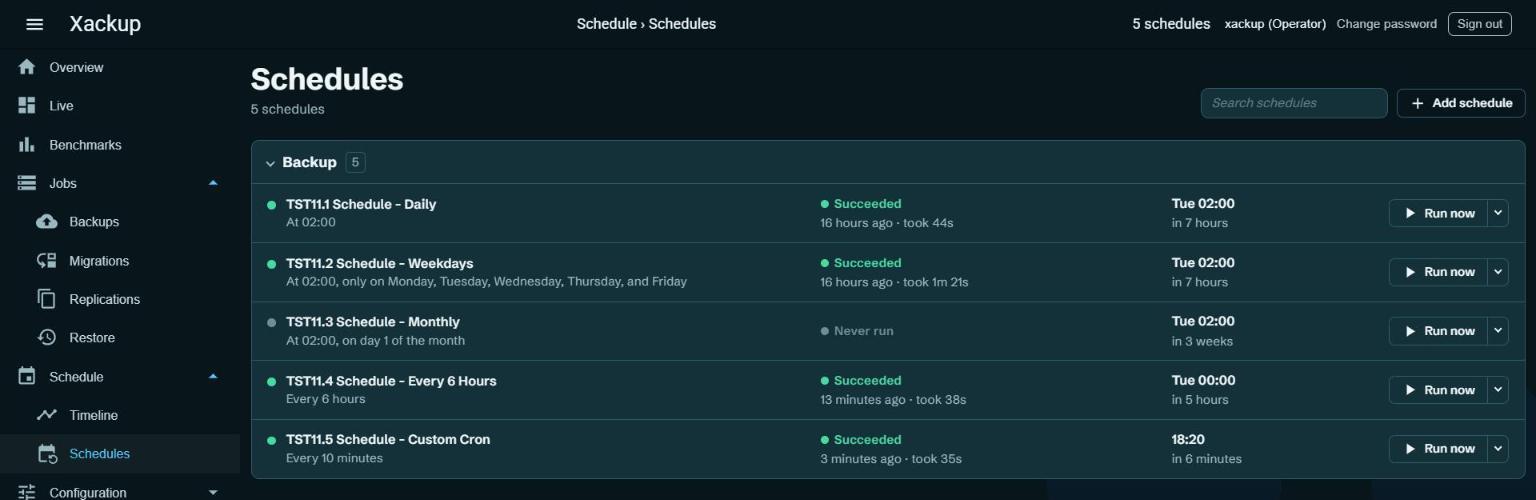
Schedules in plain words
"At 02:00, only on weekdays." Last result, next run and Run now on every line.
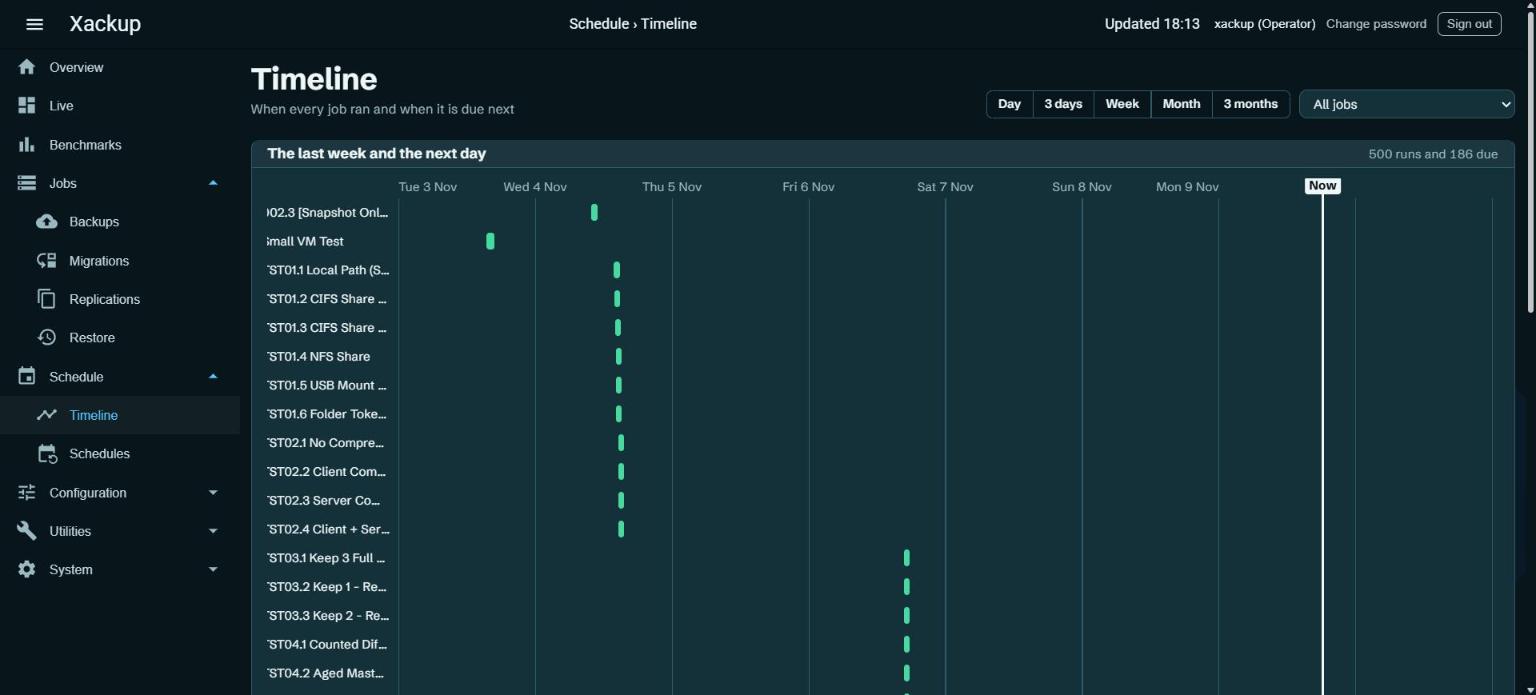
Timeline
Every run of the last week, and what is due next.
Run Xackup where the backups live
Install Xackup Server on the NAS that stores your backups, so VM data goes from the host straight to the disks that keep it.
- One hop, not two
- VM data goes from your XenServer or XCP-ng host to the NAS. No PC sits in the middle, so the NAS's disks and your network set the speed.
- Nothing extra to keep running
- A PC no longer has to be switched on, or fast enough, for backups to run.
At a glance
- Runs on
- Windows 10 (1607) or Windows Server 2016 and newer, 64-bit. Linux x64 and ARM64 with systemd. Tested on Synology DSM 7.
- Install
- One command. It runs as a service, starts at boot and updates from the web page.
- Manage from
- Any current browser. Sign in as a Viewer or an Operator.
- Includes
- Everything in Elite: true differential backups, replication, dynamic VM filters and email notifications.
- Desktop app
- Optional. The Windows installer can add it, and a Xackup Server license unlocks it too.
- License
- One license per server. Without one the web page is read only. Pricing is under review.
Get notified
Leave your email and we will let you know when Xackup Server is released.